
Free designer · no account
Custom diamond art from your photo — with an AI magic touch
Upload any photo and design custom diamond art two ways: Classic converts it faithfully cell by cell, while the AI styles redraw it as diamond-art-native artwork — bolder shapes, cleaner color, made to sparkle as drills. Either way you approve the real chart itself, with true DMC colors and drill counts, before you order.
This is a chart, not a picture of one
Most custom-diamond-art shops show a smoothed preview and build the real chart after you pay. Here is the other half — a finished kit's actual file, whole and then close enough to count drills.
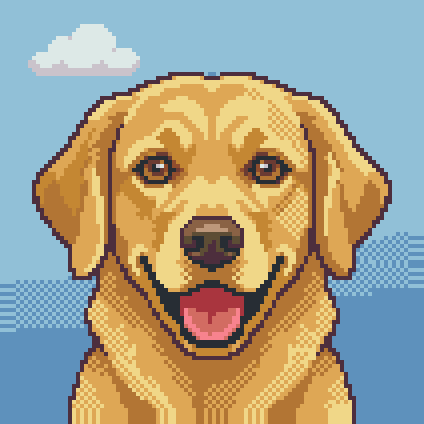
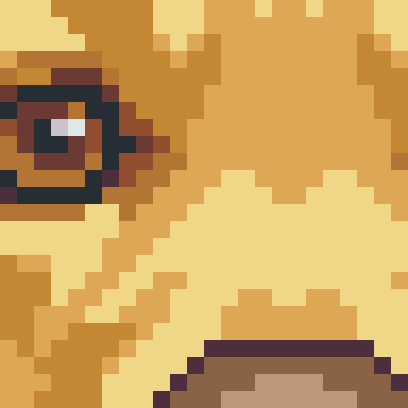
The AI magic touch
A photo copied pixel by pixel is honest, but drills are a bold medium — tiny faces and busy backgrounds can turn to noise. The AI styles fix that by redrawing your photo as diamond-art-native artwork: AI enhance keeps your photo's composition and makes every shape read cleanly in drills; AI painterly goes further into art-print territory while protecting likeness. Each AI design is generated fresh for your photo, measured, and delivered as a real chart you can inspect drill by drill — or reject.
AI designs are in early access: a session gets a few tries, a try can come back empty (you are never charged for nothing), and Classic is always there instantly.
How it works
- 1Upload your photo
Drop in a photo of a pet, person, wedding, house or holiday. Bright, sharp originals with the subject filling the frame convert best.
- 2Pick the kit size and drills
Choose a canvas size and round or square drills. The grid is computed from the real drill pitch, so the cell count on screen is the drill count in the box.
- 3Approve the exact chart
Check the drill count, the DMC color list and the finished-look preview, then approve. That approved chart is fingerprinted and sent to production unchanged.
Made to hang, made by you
Every kit is a few evenings of placing tiny faceted drills — a slow, satisfying craft — that ends with your own photo on the wall. These are our kits and canvases, up close.
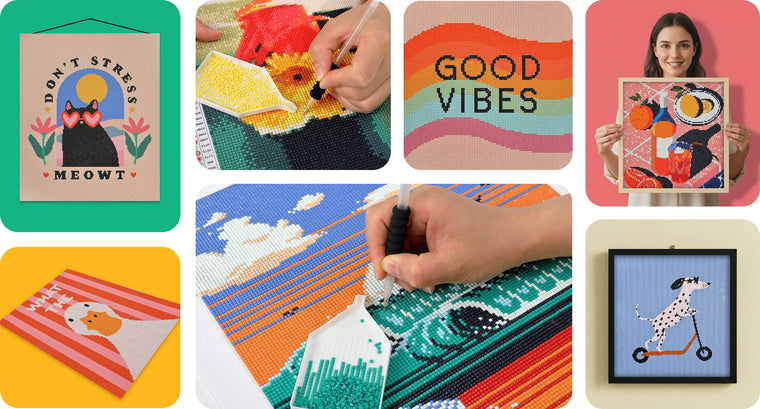
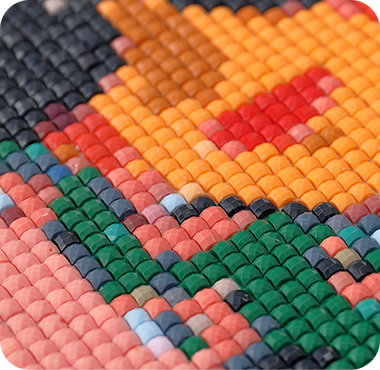
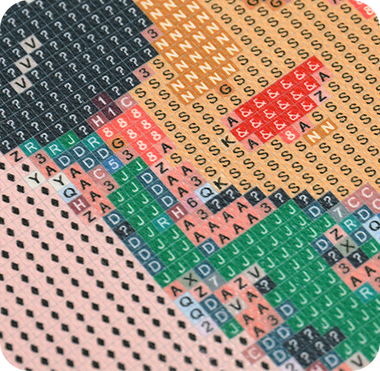
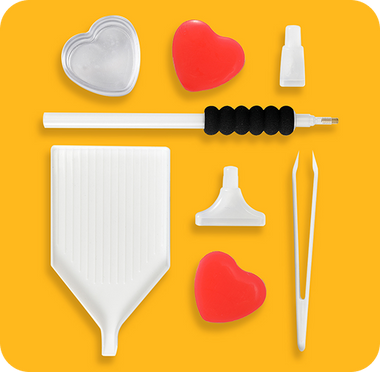
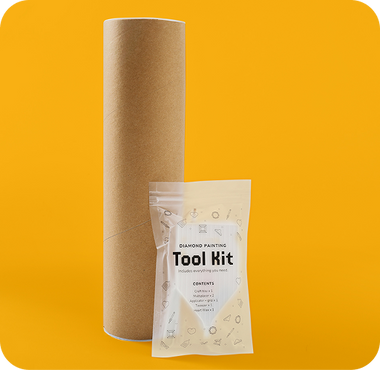
What arrives in the box
- 20 · 30 · 40 · 50 cmSquare canvases. Round drills sit at a 0.28222 cm pitch, square drills at 0.248 cm — the grid is derived from that, never rounded for marketing.
- Up to 40DMC colors, the same cap the kits ship with, listed with the drill count per color before you approve.
- Printed chart, drills, toolsThe canvas is printed from the approved chart file, with the matching drill bags, a pen, wax and a tray.
- Made to orderNothing is stocked: your design is produced after you approve it, so a one-off is normal rather than a special case.
Ready to order? Order from your photo
The designer above is a free preview. To order a kit, upload the same photo on the kit page, pick a size and drill shape, and check out — US shipping is included. Your photo is rendered to professional pixel-artist quality, and we email you the design to review and approve before anything is printed.
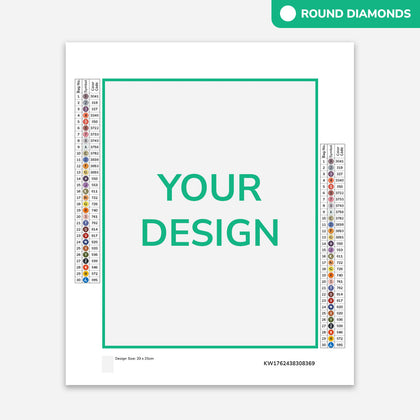 Custom Diamond Painting Kit from Your Photo
From $34.90
Custom Diamond Painting Kit from Your Photo
From $34.90 Selling diamond art? This is the widget, not a demo
The designer above is the same embed brands put on their own storefronts: two tags, your branding, your cart. On approval it hands your cart the design id and the chart hash as line-item properties, and Pixelmade prints and ships the kit — blind, in your packaging, with no revenue share. Sizes, drill shapes, price mapping and whether the AI options are on are all per-shop settings.
Questions
Is this the real chart or just a preview?
It is the real chart. The grid you see is the manufacturing file: one cell on screen is one drill in the box, and every color is a stocked DMC code. When you approve it, the exact bytes are fingerprinted with a SHA-256 hash that travels with the order, so production prints that file rather than re-running the design.
How is this different from other custom diamond painting sites?
Most sites show a smoothed mock-up of your photo, or email you a proof a day or two later, and the real chart is generated after you pay — which is why kits sometimes arrive looking different from the picture you approved. Here the chart is produced first, in your browser session, and it is what you are approving.
What sizes can I choose, and how many drills is that?
Canvases are 20, 30, 40 and 50 cm square. The grid follows the physical drill pitch — 0.28222 cm for round drills, 0.248 cm for square — so a 40 cm round canvas is 141 × 141 cells, which is 19,881 drills. The tool shows the exact count for your choice before you commit.
How many colors will my design use?
Up to 40 DMC colors, which is the cap the finished kits ship with. Fewer colors read as bolder, flatter art and are faster to stitch; more colors hold subtle skin tones and gradients. You see the actual palette, with the drill count per color, before approving.
What kind of photo works best?
One clear subject, well lit, filling most of the frame, at the highest resolution you have. Group shots, dark indoor photos and screenshots lose detail once they are reduced to a few thousand drills. Faces work better on larger canvases, where there are more drills to spend on features.
What are the AI looks next to Classic?
Classic reduces your photo cell by cell: free, unlimited, and deterministic — the same photo and settings always produce the same chart. The two AI looks redraw the photo as diamond-art-native artwork instead of shrinking it, which suits busy or low-contrast photos. They are in limited testing: each attempt is a paid model call, so a session gets a small number of tries, and when one cannot be produced the designer says so and Classic is still there. You always approve a chart, never a promise.
Can I download the chart and stitch it myself?
The free pixel-art converter at pixelmade.ai/tools/pixel-art-converter exports a chart image and a DMC palette you can print. This page is for ordering a finished kit, where the approved chart goes to production with the canvas, drills and tools.
I sell diamond art. Can I put this on my own store?
Yes — that is what it is built for. The same widget embeds on any storefront with two tags, keeps your branding, and hands your cart the approved design id and chart hash as line-item properties. Pixelmade fulfils the kit. There is no revenue share.
Related
- Pixel art converter — the free chart exporter: any image in, gridded pixel art plus a DMC palette out.
- Custom diamond painting kit from your photo — upload your photo and order; we email you the design to review and approve.
- Diamond painting kits for sellers — blank round and square kits at wholesale, designed in the Pixelmade app.
- Developer platform — the same engine behind an HTTP API, for teams that want to build on it.