Pixelmade tools · free
Pixel art converter: image to pixel art with a true grid
Upload any image and get clean, gridded pixel art in seconds. Photos are pixelated onto the grid you choose — 8 to 256 columns, 2 to 64 colors. Blurry AI “pixel art” gets better: the converter finds the hidden grid and rebuilds true pixels, one per cell. One tap maps every color to real DMC floss/drill codes.
Creating with AI? Copy a prompt built for clean grid recovery. Show promptHide prompt
Pixel-art-style image of [SUBJECT], one centered subject, bold readable silhouette, 16 colors max, large visible square pixels, flat colors, plain solid background, no anti-aliasing, no gradients, no soft shadows, no texture, no tiny text, crisp 1-pixel outlines, square composition.
Original
Upload any image
or — or paste from the clipboard. PNG, JPG, or WebP up to 12 MB.
We’ll choose the right task automatically
Free · no signup · usually ready in a few seconds
Result
We’ll show what we detected, then build a clean grid, counted palette, PNG, and chart BMP.
Want it as a diamond painting kit?
The DMC mode above gives you a chart to print. To get the kit itself — a printed canvas, sorted drills and the tools — start from your own photo: preview it as diamond art for free, or order a custom kit and a designer emails you the real drill chart to approve before anything is printed. From $34.90, US shipping included.
Preview your photo as diamond art Order a custom kit from your photo
How it works
- Upload an image. Drag and drop, paste, or choose any PNG, JPG, or WebP up to 12 MB — an AI pixel-art render, a logo, or a regular photo. Or load a built-in sample.
- Get the first result automatically. The converter starts immediately, no settings needed. It first looks for a hidden pixel lattice; if one is found it recovers the true grid, otherwise it pixelates the photo at 64 columns and 16 colors.
- Tune it and download. Adjust grid size, colors, dithering, or the color cap and the result re-renders. Download a crisp PNG at 1×, 4×, or 8×, or the one-pixel-per-cell BMP chart with exact per-color counts.
Made with this converter
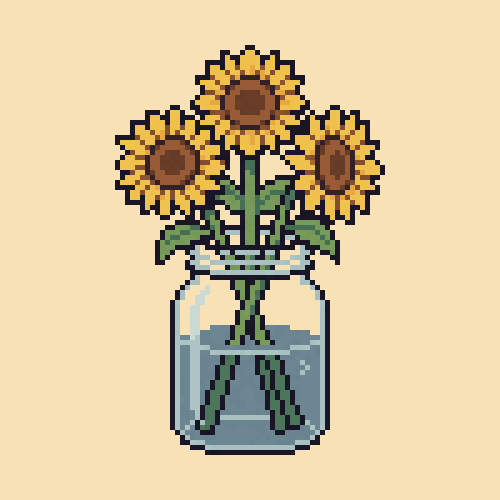
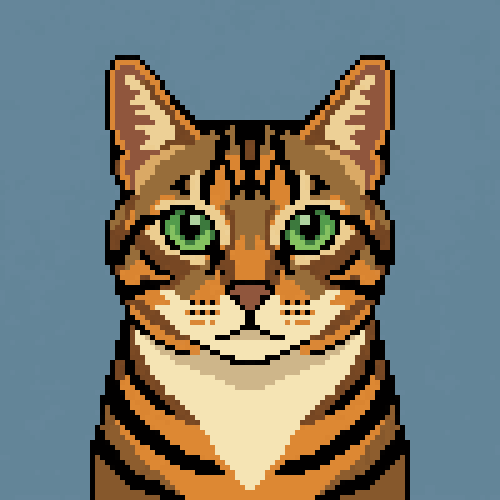
Six pieces made with this converter — generated with Gemini, then grid-recovered to true pixels here. Every one is a real conversion at its exact grid size. Want the prompts? They're in the Gemini pixel-art guide.




Why AI pixel art looks blurry — and how grid recovery fixes it
Ask an image model for pixel art and you get an image that looks pixelated but isn't: the model paints soft blocks, each roughly 8–14 screen pixels wide, onto a canvas of about a million pixels. Block edges are anti-aliased, rows drift, and what should be one pixel is smeared across dozens. Zoom in and it turns to mush; try to print, stitch, or resize it and nothing lines up. We call these almost-pixels mixels.
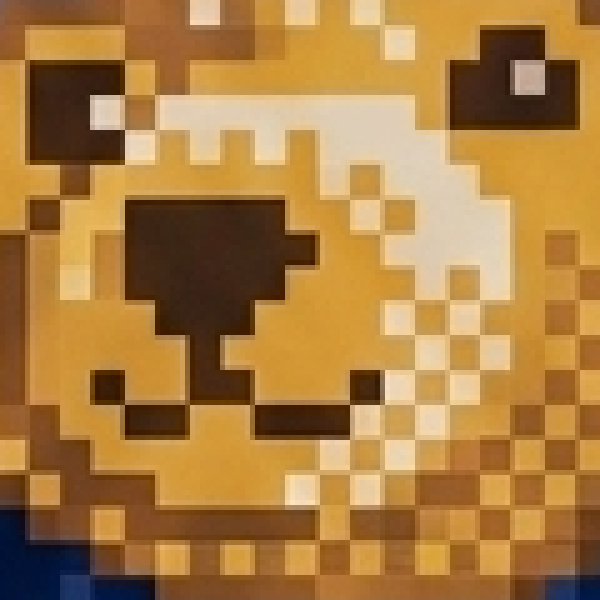 AI export, zoomed
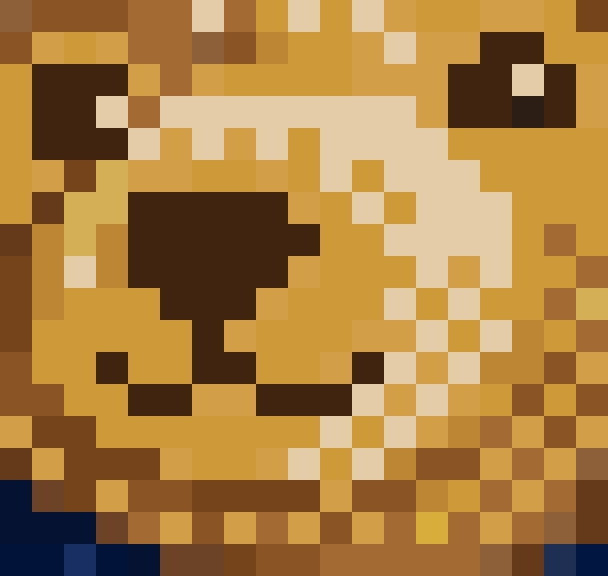 True grid, recovered
The fix is measurement, not more AI. The converter scans the image for the lattice the model was imitating — the rows and columns where color change concentrates — locks onto that grid, and votes one color per cell. It is deterministic computer vision: the same input always gives the same output, and typical images finish in a few seconds.
Some renders hide finer detail — small text, an eye — drawn at a smaller block size inside one region. Recovery reads the dominant grid, so those few cells can blur; if a detail matters, regenerate with it drawn larger, or fix the handful of cells afterwards in the Design Maker.
Making pixel art with AI from scratch? Read the companion guide: Generate pixel art with Gemini, then fix the grid.
Photo mode: image to pixel art, chart-ready
No hidden grid? Then the image is a photo (or flat art) and the converter pixelates it the classic way: it downsamples onto the grid you choose — anywhere from 8 to 256 columns — caps the palette at 2 to 64 colors, and optionally applies Floyd–Steinberg dithering, which trades a little speckle for much smoother gradients. Fewer columns reads as bolder, more retro; more columns keeps detail.
Unlike most converters, the grid is not just a visual style. Every result lists its palette with exact per-cell counts — the same way Pixelmade's Design Maker lists drill colors for a kit — and exports a one-pixel-per-cell BMP chart. You get a usable pattern, free, with the grid included — not just a pixel-styled JPEG.
What it won't do (honest limitations)
- Recovery needs the lattice to have survived. Heavy JPEG compression, bilinear upscaling, rotation, or perspective destroys it — those images fall back to photo mode, which is the right output for them.
- Very drifty grids can land one row or column off. If a border row looks doubled, re-run once more or fix single cells later in the Design Maker.
- It doesn't invent detail. If the AI render never drew a clean eye, recovery won't create one — it recovers exactly what is there, which is the point.
- Palette counts are exact for this output, not a materials estimate. Making a physical kit re-maps colors to the DMC palette in the Design Maker first.
- Uploads cap at 12 MB. Large photos are fine — the first thing photo mode does is downsample — but crops convert faster.
Frequently asked questions
Can it map my image to DMC colors?
Yes — switch the palette to DMC and every output color snaps to its nearest match in the 445-color DMC system used for embroidery floss and diamond-painting drills. The palette then lists real DMC codes with per-color cell counts, and one tap copies the whole list — your chart doubles as a shopping list for cross stitch, diamond painting, or perler projects.
Is this pixel art converter free?
Yes — completely free, with no signup, no watermark, and no export paywall. Both the PNG and the BMP chart download are ungated. Pixelmade funds the tool by selling optional craft kits made from finished charts, so the converter itself never charges.
What image formats can I upload, and what do I get back?
Upload PNG, JPG, or WebP up to 12 MB. You get a crisp PNG at 1×, 4×, or 8× pixel scale, plus an indexed BMP chart with exactly one file pixel per grid cell, and a palette list with per-color counts.
How long does the conversion take?
Most images finish in a few seconds. Large or unusually detailed images can take up to about 30 seconds. If a temporary service error occurs, the converter keeps your image and settings so you can retry without uploading it again.
What is a “mixel”?
Our name for what image models actually produce when asked for pixel art: soft blocks roughly 8–14 screen pixels wide painted onto a large canvas, with anti-aliased edges and a wobbly, drifting grid. It imitates pixel art but contains no true pixels — until the grid is recovered.
Does it work on Gemini, Midjourney, or DALL·E pixel art?
Yes — that is exactly what recovery mode is for. If the block structure survived export (most direct downloads do), the detector finds the lattice and rebuilds the true-resolution image. If compression or smoothing destroyed the lattice, the tool falls back to photo mode instead of guessing.
Can it convert a regular photo to pixel art?
Yes. Photo mode downsamples the image onto a grid you choose (8–256 columns), reduces it to 2–64 colors, and can apply Floyd–Steinberg dithering for smoother gradients — the classic image-to-pixel-art conversion, with the grid and palette counts included.
What is the BMP chart export for?
The BMP is a base-resolution indexed bitmap: one file pixel per grid cell, nothing scaled. That makes it machine-readable for craft workflows — cross-stitch, perler beads, diamond painting — and it is the same artifact family Pixelmade's kit pipeline reads, so a chart can become a physical kit with no re-conversion surprises.
How is this different from a pixel art upscaler?
An upscaler makes a small image bigger. This converter works toward the true size: it recovers or builds the small, hard-edged original — then exports it at 4× or 8× with zero smoothing, which is the correct way to upscale pixel art without blur.
Sell your pixel art as a physical kit
Pixel art you can hold: Pixelmade turns any chart into a made-to-order diamond painting kit — MOQ 1, produced under your brand, dropshipped to your buyer. Creators use it to sell finished kits with zero inventory. Start with this converter, finish in the free Design Maker.